

Overview
Inviting a user sends them a magic link via email to join your organization. The invitation is powered by SuperTokens Passwordless, so no password is set during invitation. The user is created with apending status until they accept the invitation.
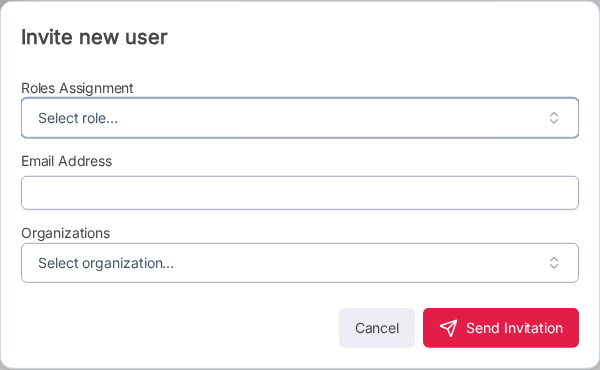
Send an Invitation
1
Navigate to Users
Click Users in the left sidebar.
2
Click Invite User
Click the Invite User button in the top-right toolbar.
3
Fill in user details
4
Send
Click Send Invitation. The user receives a magic link email from SuperTokens to set up their account.The user appears in the user list with a Pending status badge.
User Statuses
After invitation, the user moves through these statuses:Invitation Expiry
Invitations automatically expire after 7 days. A daily scheduler checks all pending invitations and marks expired ones with an Expired status. Expired invitations can be resent (see Resend Invitation).You need the Invite, Assign role, and Assign organization permissions to invite users. The user count is limited by your subscription plan.